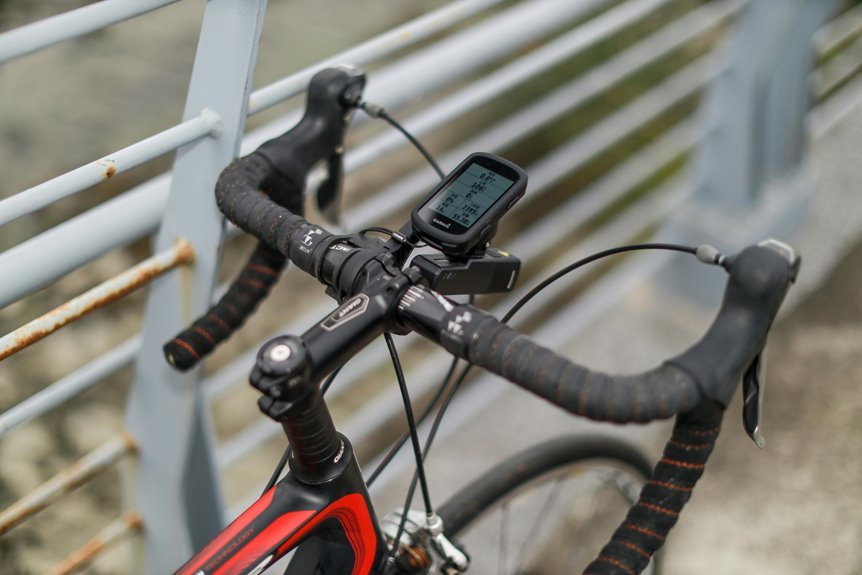

A bike power meter needs a quick calibration routine to give reliable numbers. Start with a battery check, let the meter wake up, spin lightly so it matches the current temperature, then stop completely and calibrate without touching the pedals. A fast recheck during changing weather can keep your data steady. With that habit, your rides make more sense and your training stays on track.
What Power Meter Calibration Does
Whenever you calibrate a bike power meter, you’re not changing its factory tune.
Instead, you’re telling the meter where zero lives right now, so your ride data starts from a clean measurement baseline.
That matters because tiny forces, mounting pressure, and temperature can shift what the sensor believes is neutral.
When to Calibrate Your Power Meter
You should calibrate your power meter before every ride, because even small shifts can throw off your numbers. You should also recalibrate after big temperature changes, since heat and cold can change the offset and affect accuracy.
That quick check gives you cleaner data and helps you trust what you see on every ride.
Before Every Ride
Because small changes in temperature, bike handling, and transport can shift your zero offset, it’s smart to calibrate your power meter before every ride. That quick habit helps you start with data you can trust, so your numbers match the effort you bring to the road or trail.
Before you begin, wake the sensor with two easy crank turns and check your startup timing on the head unit or app. Then stop completely. Keep the bike still, remove pressure from the pedals, and confirm the correct pedal position from your manual. Make sure the chainring or spider isn’t moving, and your connection is solid. Should covers, gaskets, or connectors look dirty or wet, clean them earlier.
Upon calibrating this way each ride, you join riders who value steady progress and dependable feedback every day.
After Temperature Changes
After a big swing in temperature, your power meter deserves a fresh zero offset before you trust the numbers on your screen. Cold mornings, hot cars, and sunny cafe stops can all shift strain readings, so calibrate once the sensor wakes and the bike rests still. That small habit keeps you aligned with the group and builds confidence through thermal drift monitoring and seasonal offset tracking.
| Situation | What you do | How it feels |
|---|---|---|
| Cold start | Zero offset | Calm and ready |
| Hot car rack | Recalibrate | Back in control |
| Midride sun | Check again | Supported, not guessing |
| Seasonal change | Log offsets | Part of the savvy crowd |
You don’t need luck. You need consistency, a steady setup, and numbers that feel like home on every ride.
Check Battery Level Before Calibration
Before you calibrate, check that your power meter and head unit have enough battery to finish the process without dropping the connection.
Low battery can cause weak signals, missed wake-up steps, or bad zero-offset readings, and that can throw off your ride data fast.
As part of your pre-ride check, make sure both devices are charged well above the low-power warning so you can calibrate with confidence.
Battery Charge Thresholds
One quick check can save you a bad calibration: make sure your power meter battery has enough charge to stay connected through the whole zero-offset process. Before you start, open your head unit or app and confirm the battery level. You want enough power for a stable link, not a last-minute surprise that pulls you out of your ride routine.
A smart habit is setting your own battery threshold, so you know if calibration still feels dependable. Many riders use a simple charge alert in their computer or app, and that small step helps you stay ready. Just like waking the sensor and keeping the bike still, checking charge keeps your setup calm and consistent. It also helps you feel part of the riders who trust their numbers because they respect the basics every single ride.
Low Power Risks
A healthy battery does more than keep the power meter on. It protects your calibration from bad data and random errors. As charge drops, battery drain can weaken the signal, slow communication, and skew the zero offset you trust. That means your numbers could look fine, yet feel strangely off while you ride.
Because you want data you can rely on, watch for low voltage symptoms before you calibrate. You could notice delayed pairing, dropped connections, frozen values, weak LED response, or calibration failures.
Sometimes the meter wakes slowly, then quits midway. That can leave you second-guessing your effort, and none of us wants that. By confirming strong battery health initially, you give your meter a fair chance to report clean, steady readings and help your training feel honest, shared, and dependable every day.
Pre-Ride Battery Check
Why start with the battery level if you only want to calibrate and ride? Because your power meter needs steady power to wake, pair, and hold a clean zero offset. Before you spin the crank, do a quick battery status check on the head unit, app, and meter. If charge is low, calibration can fail, drop connection, or give shaky numbers that leave you guessing.
That small check helps you feel ready and in control, like the rest of your riding group. Open the sensor page, confirm the meter is awake, and make sure the computer or phone has enough charge too. Also inspect battery covers and contacts so they stay clean and dry.
Then build spare battery planning into your routine. Carry one, and you won’t get stranded by a tiny coin cell.
Warm Up Before Calibration
Before you calibrate, let the power meter wake up and settle in for a moment so you don’t start with a shaky baseline. Give it a gentle spin, usually two full crank revolutions, as part of your sensor wake up procedure. That simple habit helps the meter become visible, connect cleanly, and read the room, so to speak, before you trust its numbers.
Next, treat this pause like part of your pre calibration checklist. Keep the bike still, the cranks unloaded, and the pedal position matched to your manual. Make sure your head unit or app is paired and talking to the meter.
Whenever your model uses an LED, check for the blink after wake up. You’re not being fussy here. You’re building a reliable starting point your whole ride can belong to.
How to Calibrate Your Power Meter
Once the meter is awake and connected, you can calibrate it in less than a minute provided you keep the bike still and the pedals completely unloaded. Open your head unit or brand app, then choose Sensors, Power Meter, and Calibrate or Zero Offset. Keep the cranks motionless, with the right pedal down if your manual says so. In a few seconds, you’ll see an OK message and an offset number.
Before you start, confirm installation alignment, clean contacts, and solid battery power, because small setup issues can throw things off. If the meter won’t appear, do basic pairing troubleshooting by rotating the crank again, checking ANT+ or Bluetooth, and reconnecting in the power profile.
You’re not overthinking it, you’re building a reliable routine that strong, detail-minded riders trust every ride together.
Account for Temperature Changes
Temperature can shift your power meter’s zero offset, so you should let the bike warm up for a few minutes before you calibrate.
When the weather changes during your ride, it’s smart to run another quick zero offset check so your numbers stay accurate. That small habit helps you trust your data and avoid the frustration of power readings that don’t feel right.
Warm Up Before Calibration
Because a power meter reacts to heat and cold, you’ll get a cleaner zero offset when you let the bike warm up to the riding conditions initially. That helps you start like the rest of us who want numbers we can trust, not mystery watts. Before calibration, give the bike a few easy minutes in the same air you’ll ride in.
Then focus on sensor wake up timing. Your meter needs to be fully awake before you ask it for a zero offset. Use gentle crank rotation for two full revolutions, then stop with the cranks still and the pedals unloaded. If your model has a status light, check that it’s active. Next, confirm your head unit or app is connected. This short routine helps your data feel steady, fair, and ride-ready every time.
Recheck In Changing Conditions
A good warm-up gets the meter stable, but changing weather can still nudge your zero offset during the ride. When air temperature swings, you can see weather driven drift, especially on long climbs, fast descents, or shady sections. To stay confident, pause and recheck when conditions shift.
| Condition | What you do | Why it helps |
|---|---|---|
| Cold start | Zero again after 10 to 15 minutes | Settles temperature |
| Sudden heat | Recheck at a stop | Limits drift |
| Rain shower | Do post rain verification | Confirms dry, accurate reading |
You’re not being fussy, you’re riding smart like the rest of the community. Whenever the bike gets soaked, inspect covers and connectors, keep cranks still, then calibrate with no pedal load. That quick habit protects trust in every hard-earned watt.
Keep Your Power Meter Clean and Tight
While calibration gets most of the attention, clean parts and correct bolt tension protect your power meter from the small problems that quietly ruin good data.
Your riding group trusts numbers that stay steady, and you can help yours do that with simple cleaning maintenance. Wipe sweat, grit, and road film from the meter, crank, pedals, covers, and connectors with a soft cloth. Keep seals dry, and never blast joints with high-pressure water.
Just as dirt creates noise, loose hardware creates movement.
That’s why a regular tightness inspection matters. Check pedal threads, chainring bolts, battery doors, and mounting bolts with the torque values in your manual. Use a torque wrench, not guesswork.
Whenever everything stays clean, dry, and secure, your meter feels like part of a bike family that works together.
Use Ride Data to Check Accuracy
How do you know your calibration really worked once you roll out the door? Start with looking at your normal rides, not just one sprint or climb. Your numbers should match how the effort feels, and they should stay steady in similar conditions. That simple check helps you trust your setup and feel part of a smart, data-savvy riding crew.
Then go deeper with ride file trend analysis across several rides. Watch steady intervals, endurance pace, cadence changes, and left-right consistency should your system show it.
You can also compare power meter to trainer data during controlled sessions indoors. The values don’t need to match perfectly, but they should track closely and change together. Once your ride data behaves predictably, you know your calibration is supporting real training, not guessing during every hard effort.
Spot Signs Calibration Is Off
Consistent ride files give you confidence, but the next step is noticing once your power meter starts acting unlike itself. You can see watts jump around during steady efforts, or your numbers can look oddly low on familiar climbs. That mismatch can signal calibration trouble.
As you pay closer attention, patterns usually show up. Your zero offset can change more than usual from day to day, especially without big weather swings. Left and right balance can suddenly feel wrong, or cadence can seem normal while power looks strange. You could also notice alignment drift after travel, cleaning, or hard rides.
In other cases, inconsistent torque at the pedals or crank can make efforts feel honest while the data says otherwise. Once that happens, trust your awareness. You know your ride rhythm better than anyone else.
Fix Power Meter Calibration Problems
When your power meter starts giving odd numbers, don’t panic, because most calibration problems have a simple fix. Initially, wake the sensor with two easy crank turns, then stop the cranks and remove all pedal load. Next, check battery level, pairing, and clean, dry contacts. When numbers still drift, look for signal interference from nearby trainers, lights, or other sensors. Also update the app or head unit, since a firmware glitch can block a clean zero offset.
| Problem | Quick fix |
|---|---|
| Meter won’t calibrate | Re-pair, wake sensor, hold cranks still |
| Offset changes wildly | Inspect covers, moisture, battery, nearby signals |
You’re not the only rider who deals with this. Stay calm, trust the steps, and your data will feel like yours again on every ride.
Build a Simple Calibration Routine
Before each ride, build a short calibration routine that feels as normal as checking your tire pressure, because that one calm minute can save you from bad power numbers later. Wake the meter with two easy crank turns, make sure your bike is still, and keep all weight off the pedals.
Then open your head unit or app, confirm the connection, and run zero offset.
Next, glance at covers, gaskets, and battery status so you don’t miss simple issues. When the offset looks far from your usual range, record it in a calibration log before you roll out. That small habit helps you spot changes from weather, washing, or loose hardware.
Afterward, a quick post ride review lets you compare numbers, build trust in your setup, and feel like part of the riders who get the details right.
Frequently Asked Questions
Can Rain Affect Power Meter Readings During Long Rides?
Yes, rain can affect power meter readings on long rides if water gets past the seals or interferes with the sensor. To keep readings reliable, inspect the connectors, skip pressure washing, and recalibrate after the ride.
Do Firmware Updates Change Calibration Behavior or Offset Values?
Yes, firmware updates can change calibration behavior or offset values. They may improve consistency while also revealing existing drift. Re zero the unit after the update, verify that the offset remains stable, and monitor firmware related calibration changes within your riding group.
Why Does My Left-Right Balance Seem Inconsistent After Calibration?
Left right balance can look inconsistent because calibration resets the baseline only. It does not correct left leg dominance, uneven pedal stroke, temperature related drift, or bike setup problems. The most reliable readings come from calibrating with no load before each ride.
Can Indoor Trainer Vibrations Interfere With Power Meter Accuracy?
Yes, trainer vibration can slightly affect power meter accuracy if the sensor is loosely mounted or if calibration is done while the bike is shaking. Accuracy improves when the setup is stable, the meter is awake, and the zero offset is performed with the cranks completely still.
Should I Recalibrate After Traveling With My Bike?
Yes. Travel vibration can alter the zero offset, and a change in elevation can affect the reading. Before riding, wake the meter, keep the cranks unloaded, and perform a quick calibration.