
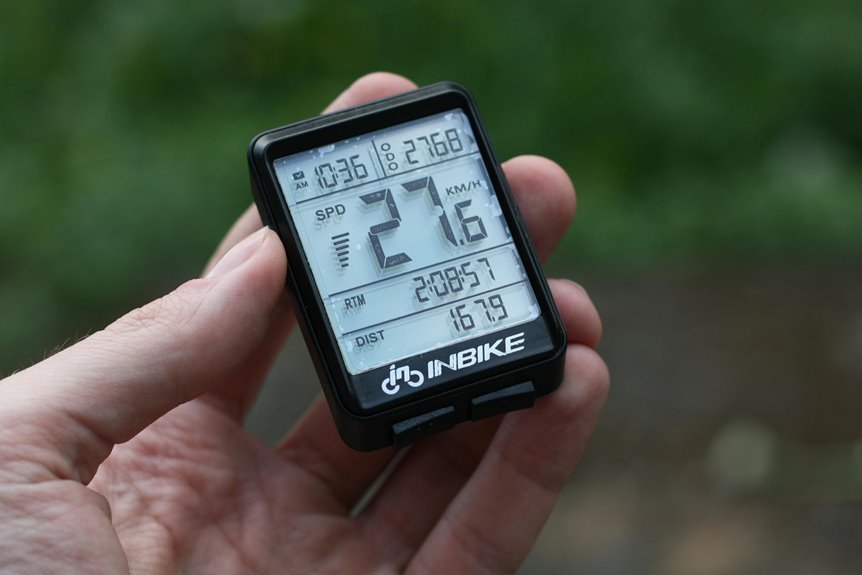

A smart bike speedometer wirelessly syncs with sensors fast and keeps your ride data in one place. It can track speed, distance, climbing, cadence, heart rate, and power without extra cables. The data updates in real time, so your screen stays clear and useful out on the road. That simple setup helps you ride with better focus and make smarter pacing choices.
What Does a Smart Bike Speedometer Track?
A smart bike speedometer tracks far more than just how fast you’re riding, and that’s what makes it so useful on real roads and trails. You get speed, distance, ride time, and elevation, so your basic tracking features feel clear from the initial mile.
Then, as your rides grow, your ride metric overview can include heart rate, cadence, and power once you pair sensors.
That matters because you want to know how your body and bike work together, not just how fast you looked on one hill.
With strong satellite support, your device measures routes more accurately in trees, cities, and open roads. It also shows training zones and health data, which helps you ride with more confidence.
You feel connected to your progress, your goals, and the wider cycling community around you.
How Does Wireless Sync Work?
Once your speedometer collects all those ride stats, wireless sync moves them where you need them without extra steps. Your unit uses Bluetooth Low Energy for quick phone pairing, ANT+ for smooth data sharing, and WiFi for automatic uploads whenever it finds a trusted network.
That means your rides can appear in apps you already use, often right after you stop rolling. You don’t need cables, guesswork, or extra time. Better yet, smart syncing supports battery efficiency, so you stay connected without draining power on every ride.
It also improves device compatibility, which helps your speedometer work smoothly with your phone, training apps, and other connected tools. As a result, your ride history stays current, your progress feels shared, and you stay part of a cycling routine that feels easy, connected, and built for you.
Which Sensors Work With a Smart Bike Speedometer?
Because your speedometer can connect in more than one way, it works with a wide range of sensors that help turn a basic ride log into a fuller view of how you’re actually riding. You can pair heart rate straps, cadence sensors, speed sensors, power meters, smart trainers, radars, and even bike lights. That strong sensor compatibility helps you feel part of a connected riding setup, not stuck with guesswork.
| Sensor | What you track |
|---|---|
| Heart rate monitor | Effort and training zones |
| Cadence or power sensor | Pedal rhythm and power meter pairing |
As your setup grows, your data gets more personal. ANT+ and BLE support let many riders mix brands without stress. You get clearer feedback, better workouts, and a smoother routine that feels built for you and your riding group on every ride.
Why Wireless Sync Beats Cables
While cables can feel simple at first, wireless sync makes your rides easier, faster, and far less frustrating. You skip tangled wires, awkward routing, and those annoying connection checks before everyone rolls out. That means less setup stress and more time feeling part of the group.
Because your speedometer connects through Bluetooth, ANT+, or WiFi, your data moves smoothly between sensors, apps, and devices. You don’t stop to plug things in or worry about ports getting wet, dusty, or loose on rough roads.
That’s where battery convenience really helps. Modern units last through long rides, so you stay connected without babysitting cords. Just as significant, cable free portability keeps your cockpit clean and your bike easier to carry, pack, and share with your riding crew. It simply feels more modern and welcoming.
How a Smart Bike Speedometer Improves Training
As your rides get more connected, a smart bike speedometer turns that steady stream of data into training you can actually use. You see speed, cadence, heart rate, and power together, so your effort finally matches your goals. That makes training load optimization easier, especially whenever you want steady progress without guesswork or burnout. It also sharpens your interval pacing strategy, helping you hold targets with more confidence on every repeat.
| Metric | Helps You Do | Training Benefit |
|---|---|---|
| Speed | Track pace | Build control |
| Cadence | Smooth effort | Save energy |
| Heart rate | Watch strain | Avoid overdoing |
| Power | Hit targets | Train precisely |
Because you can read your ride clearly, you feel more prepared, more consistent, and more like part of the cycling community that trains with purpose.
How Wireless Sync Improves Data Accuracy
As your speedometer syncs wirelessly with GPS, sensors, and your training apps, it captures a cleaner, more complete view of every ride. You get fewer gaps, fewer mismatched numbers, and more trust in what you see on screen. That matters whenever you want your effort to count.
Because devices share data in real time, your speed, cadence, heart rate, and distance stay aligned. Better signal stability helps prevent dropouts in busy streets, wooded trails, or changing weather. At the same time, solid sensor calibration keeps each reading closer to your true output, not a rough guess. Together, these connections help you ride with confidence. You feel more in sync with your bike, your goals, and the cycling community that values honest, dependable ride data every single day.
What to Look for in a Speedometer App
When you want a speedometer app that feels helpful instead of frustrating, start with the basics it handles every ride. You need clear speed, distance, time, and elevation, plus support for heart rate, cadence, and power when you train with sensors. A strong app interface design matters too, because you should find stats fast, even when you’re tired, cold, or riding with friends.
Next, look for reliable maps, route guidance, and offline map storage, so you stay confident when signal drops. You should also expect accurate GPS, simple screen layouts, readable fonts, and alerts that help instead of distract. When you ride in a community, choose an app that connects with popular platforms, saves rides automatically, and makes your progress feel shared, supported, and worth showing up for together each week.
How to Set Up Wireless Sync Fast
Once you’ve picked an app or bike computer with the right features, setting up wireless sync should only take a few minutes and save you a lot of hassle later. Start by charging your speedometer, turning on Bluetooth, and opening the companion app. Then follow the quick pairing steps on screen, which usually guide you through account login, permissions, and sensor search.
Next, keep your phone and bike computer close during initial device pairing so they connect fast. If your model supports ANT+ and Bluetooth Low Energy, add your heart rate strap, cadence sensor, or power meter right away.
After that, connect WiFi for automatic ride uploads to Strava or TrainingPeaks. Finally, name your bike profile, check live data fields, and you’re ready to roll with a setup that feels easy and truly part of your riding crew.
Common Wireless Sync Problems and Fixes
Why does wireless sync sometimes fail right as you need it most? Usually, your speedometer loses a stable Bluetooth, ANT+, or WiFi link because your phone is too far away, airplane mode is on, or the app needs a quick restart. You’re not the only rider coping with this, and most fixes are simple.
Start with the basics. Charge both devices, since battery pairing issues often block syncing before you notice. Next, turn Bluetooth off and on, reopen the companion app, and confirm your speedometer is saved correctly.
Should uploads still stall, check WiFi login details and allow app permissions for background activity. These sync troubleshooting tips also help: update firmware, remove old sensor connections, and restart both devices. Then your ride data usually flows again, just like the group expects every ride.
How to Choose the Right Bike Speedometer
Because the best bike speedometer should fit the way you ride, not force you to change your routine, it helps to choose one through looking at your real needs initially. Consider about where you ride, who you ride with, and what data helps you feel prepared and connected.
Then match features to those habits. Should you ride long routes, do a battery comparison and look for 20 to 40 plus hours. Should you train with sensors, choose Bluetooth, ANT+, and strong app syncing. For city or group rides, live tracking and alerts can add peace of mind.
Also check display readability, especially in bright sun or rain. A glove-friendly screen helps too. Should you investigate new roads, pick clear maps and turn-by-turn directions. The right unit should feel like part of your cycling circle, not a puzzle.
Is a Smart Bike Speedometer Worth It?
A smart bike speedometer can be worth it whenever you want real-time ride takeaways that help you pace better, track key stats, and stay confident on the road or trail.
You also save time with wireless setup benefits, since your device can pair with sensors, sync rides to apps, and upload data without messy cables.
Whenever you’re considering cost versus value, you’ll want to consider how often you ride, how much accurate data matters to you, and whether features like route guidance, live tracking, and long battery life will truly improve your experience.
Real-Time Ride Insights
How much easier does a ride feel as your speed, distance, heart rate, cadence, and even power show up the moment you need them? You stay connected to your effort, so every climb, sprint, and recovery feels clearer. Instead of guessing, you make smart choices that keep you in rhythm with the ride and with the cyclists around you.
That instant feedback builds confidence fast. You can spot as your pace drifts, hold your training zone, and manage energy with better battery optimization on longer days.
Strong screen visibility also helps you check numbers quickly in sun, shade, or rain without losing focus. As the data updates in real time, you feel more prepared, more in control, and more like part of a group that rides with purpose, support, and shared progress every day.
Wireless Setup Benefits
When you skip cords and manual file transfers, a smart bike speedometer feels easier to use from the first ride. You pair through BLE, ANT+, or WiFi, and your speed, cadence, heart rate, and uploads start flowing fast. That smooth start helps you feel part of a connected riding community right away too.
| Feature | Benefit | Why it helps |
|---|---|---|
| BLE pairing | Fast setup | Connects phones and sensors |
| ANT+ support | Broad compatibility | Adds trainers, lights, radars |
| WiFi sync | Hands-free uploads | Saves time after rides |
That convenience matters on busy days. With quick pairing tips, you can link sensors in minutes and avoid setup stress. You also get battery saving benefits because BLE uses low power, so your device stays ready for group rides, commutes, and long weekend journeys.
Cost Versus Value
Although the price can look high at the outset, a smart bike speedometer often gives you more real value than a basic computer because it saves time, tracks far more than speed, and keeps your rides organized without extra effort.
When you compare budget tiers, you’ll see options for casual riders, commuters, and serious training partners. That matters because you don’t need the most expensive model to feel included in the cycling community.
With wireless sync, GPS, heart rate, cadence, and auto uploads, you spend less time sorting data and more time riding with confidence. Better models also last through rain, long rides, and daily use, so your money stretches further. Should you upgrade later, strong resale value can soften the cost. In that sense, you’re not just buying a gadget. You’re joining a smoother, smarter riding experience.
Frequently Asked Questions
Can a Smart Bike Speedometer Work Without a Smartphone Nearby?
Yes. A smart bike speedometer can work without a smartphone nearby if it has its own battery, built in GPS, and onboard sensor support. It can record speed, distance, and ride data on its own, then sync later when you reconnect.
Do Smart Bike Speedometers Support Indoor Trainer Rides?
Many smart bike speedometers support indoor trainer rides, with battery life often ranging from 10 to 40 or more hours. They typically connect to ANT+ or Bluetooth sensors and can pair with power meters so your indoor sessions stay fully tracked.
How Long Do Smart Bike Speedometer Batteries Typically Last?
A smart bike speedometer battery usually lasts between 10 and 40 or more hours per charge, depending on the model and how you use it. Features like GPS, screen brightness, and wireless connections can shorten runtime, while efficient power settings help extend it for longer rides.
Are Smart Bike Speedometers Waterproof for Heavy Rain Riding?
Many smart bike speedometers can handle heavy rain, but you should confirm the waterproof rating before riding in wet conditions. Models built for all weather use are a better choice for frequent rainy rides.
Can Multiple Bikes Share One Smart Bike Speedometer Account?
Yes, in most cases you can use one smart bike speedometer account for multiple bikes. Set up a separate bike profile for each one, keep the profiles clearly labeled, and make sure each ride is assigned to the correct bike so the data stays accurate.